Console
Personal command centre, my "everything app". Evolving every day. Code at https://github.com/yousefamar/console.
Amar Memoranda > Console
 Yousef Amar
Log
Robot with a crown
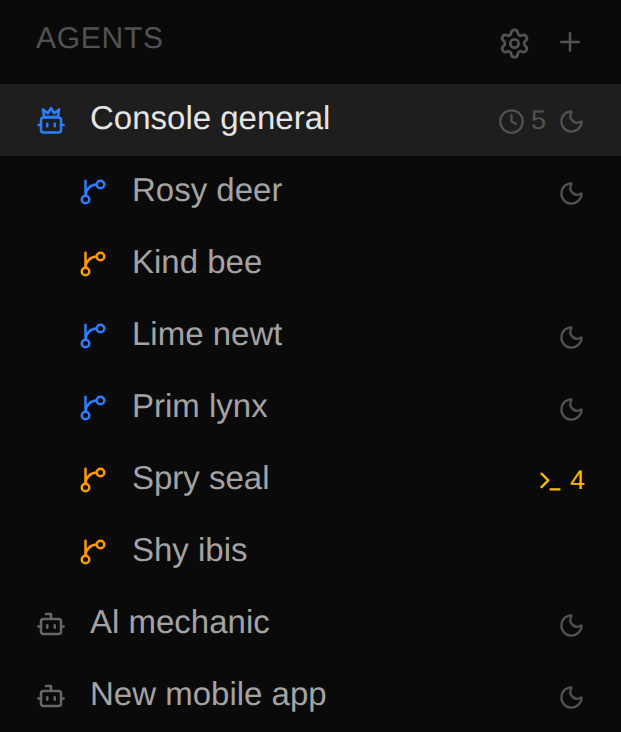
New delightful little feature! I don't like to manually assign to specific agents, and in general each project has an agent that is the de facto owner. Sometimes they'll have a name like AL, sometimes a role like CEO, and sometimes they're just named after the project. A convention I often use is e.g. "Console general" as the boss session under Console, so "X general".
When that's the case, and a card is moved to In Progress, it'll fork that boss session, and fold back into it when done. But sometimes they don't have a name like that, and I manually set a project owner! E.g. the boss of my infra project is technically Sysadmin, not Homelab.
So now I can tell based on their icon! It's the Lucide bot icon but with a crown! One-shotted by Claude Code. Love it!
Pebble Index 01
I'm so excited! After so many delays, I finally received my Pebble Index 01 in the mail.

I was very early to order; I pre-ordered it last year, but I was one of the last to get it, apparently because my size was out of stock. Sam ordered the exact same one but one size bigger in April, and got his more than a month ago while I was refreshing the order tracking every day.
Anyway, it's here now! And I'm going to build so much with this. It's a ring with a button, an LED and a mic. That's all I need! There was some controversy around the fact that it's not rechargeable, but honestly I prefer that. The battery lasts years, and by the time it runs out, I likely won't send it in for a new one, I'll have moved on to better hardware.
It was incredibly straightforward to wire up to Console -- it's just a webhook you set in the app with arbitrary headers (bearer token for me) and you can decide if you want the payload to include just the transcript, just the recording, or both. It's incredibly reliable and accurate! I can see myself not needing to check the transcript; send and forget.
You can also decide if you want the transcription to happen in the cloud (Wispr Flow), locally (a 400 MB model on your phone), or cloud with local fallback. There's an agent (cloud/local) that routes your transcription to different tools, but I don't use that, I already have my own setup so I use the webhook only.
Speaking of own setup, do you remember in school where whoever held a ball or some other object was the only one allowed to speak when taking turns? My harness had a similar system to support my push-to-talk keybinding, and hardware button on phone[1].
One agent would "hold the mic" at a time, and agents could grab/give the mic from/to each other. It was denoted by a white mic icon next to the agent name. In the end I didn't really use this much, as I would rarely speak outside of the app, and 99% of the time AL held the mic anyway.
So the system I'm setting up now is to use specific key words to route a command to the right place, with AL as a final fallback (e.g. in case of mistranscription). The routing is done in pure software, by simply parsing the text (with some tolerance for misspellings). This is a bit like con CLI, in that there's a bit of a "tree" of commands, but I still need to see which commands will be the most common for me, and have those be very short, e.g. one prefix.
For example, I want to use this ring for dream logs (I want to try wearing it while I sleep!), but I also have other logs, so one command could be:
log dream I was escaping a prison made of cheeseAnother common thing may be appending items to list, so the second word may be the name of the list, e.g.
add movies Spiderman
add groceries eggs
Some of these are pure software, some of them have LLM steps but in a very software-ish way (e.g. my tool for movies infers what the movie is and gets metadata).
I suspect another common use case will be messaging people. This is especially useful while I'm driving!
message mum I'll be home in 30 minsFinally, there's the exocortex! Or "agent fleet" as AL likes to call it. I'll probably want to refer to them by name, though I'm not sure that's the most ideal way. For example:
agent sysadmin Scale up my greeting card app to 5 instances, we went viral!
agent homepage I just published a new paper, make sure it's on my publications
agent ceo Forward the auth code we just got to the accountants
The reason I don't think it's that ideal to talk to agents directly is because these days I mainly use my kanban boards and "talk" to the project, rather than the agents. Each card creates a fork. So perhaps the verbs here are add and the target is a project.
Let's see. Stay tuned!
This was a fun challenge to get working. I can write about it more, but it involved having my app spoof a different app called Zello (a walkie talkie app) for which my phone had first class hardware button support, so I could detect press-and-hold. ↩︎
Multi-agent harness and burning tokens
The agent harness part of Console has changed a lot. I often try things out, either in a moment of inspiration, or because I see someone else do it, and I keep the things that work and throw away the things that don't.
For example, I tried building durable agents that exist in a Paperclip-like org chart, and can talk to each other by delegating tasks downwards and reporting results upwards. My org charts got pretty big!
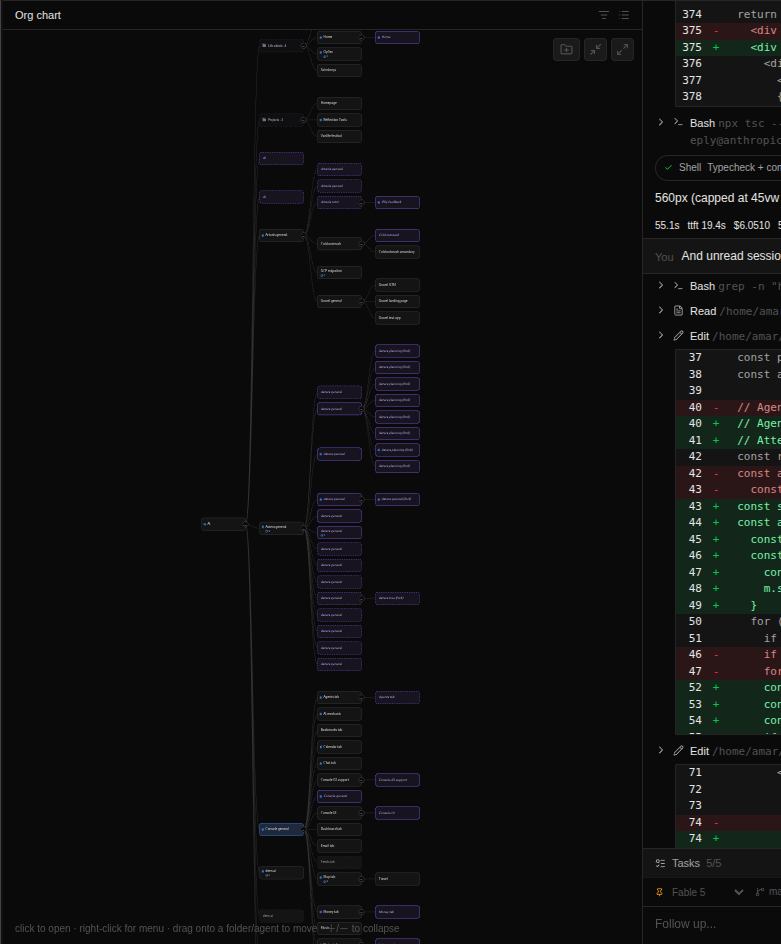
And at the very top was AL managing everything. This really did not work very well. It was just too complicated. The task system was confusing, delegation felt arbitrary, and this specialisation neither felt more performant nor more ergonomic. I also had a system for parking agent sessions which was necessary as all these Claude Code sessions actually took up a lot of resources, and it was constantly breaking.
The UI as well was just not really that useful. I did find myself wanting to talk to specific agents and it was easier to just jump to them in a command bar than to visualise the hierarchy. It's for this same reason that I didn't feel like my Machete UI in my PKM tab was very useful, I just never really used it.
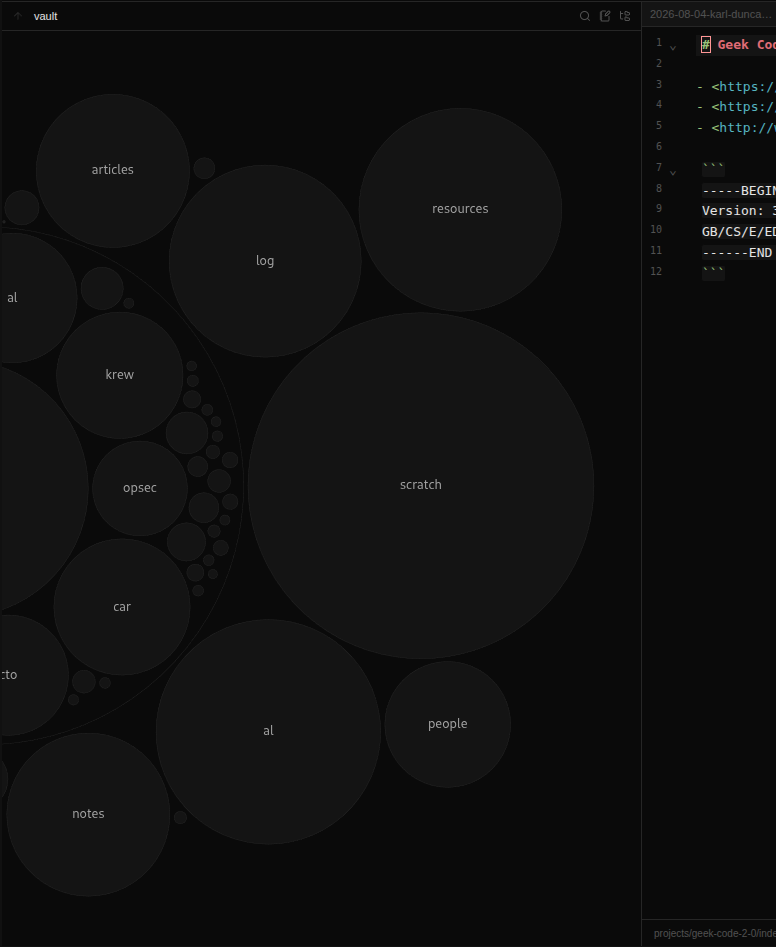
These felt a lot more like the kinds of things you look at every once in a while to visualise things at a zoomed out level, rather than where you find yourself day-to-day to browse things. So they've gotta go. Because they were so fast to build now, I didn't feel too wedded to them, and the sunk cost was just at experiment level!
What I ended up converging on is a Kanban-like UI as my primary surface. This UI is changing every day, and even in the time between when I took this screenshot to when I made my previous post, you'll notice some things have changed. But the general gist of it is that my PKM is roughly PARA-shaped, and the most important is the P (projects).
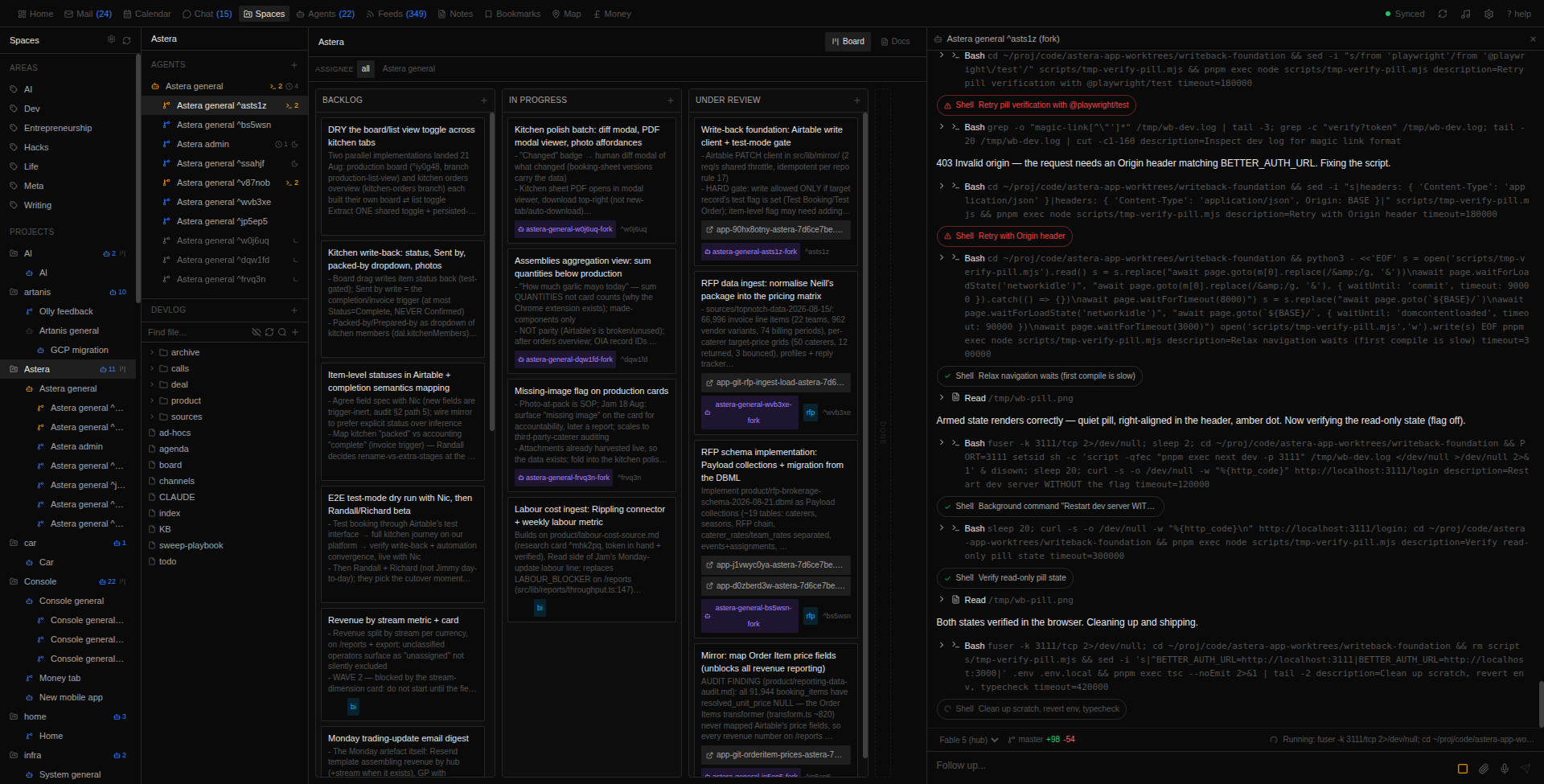
Each project generally has one or two agent sessions that are specific to it and know the context from files in its directory. These agents don't do any work besides creating tasks (though I generally prefer to do this myself) and folding the outcomes of those tasks back into its knowledge.
I then have a 4-column Kanban (based on the Obsidian plugin for Kanbans in markdown) with a backlog, in progress, under review, and done, although I don't care about what's in "done", so it's just a little area that we can drag things into for posterity, but they don't show. They're just a record of what was done (the agents update the card as they go along).
On the right is my normal agent chat panel, which I've tweaked and changed over time, but will talk about more another time. The Kanban struck a good balance for me, without an all out Linear-like setup (mainly because I rarely collaborate with humans that way anymore). I plan things out with a wide range of tickets that fit long-lived parallelisable work in the backlog, move them over to in progress (or the main agent does it -- everything is accessible through the con CLI) and that's when the magic happens: the head agent automatically gets forked and given all the context, unless I assign a specific agent. Depending on the task, I usually decide the model for that card (though I rarely go below Sonnet 5).
It will get prodded every once in a while by software, e.g. if a ticket has been in progress for longer than half an hour, or if the card has changed, and it can mark the card blocked. Theoretically they can still talk to other agents if they need to by using the con agent chat command which in the background will create a temporary fork, or con agent send which injects a message directly into a running session. In reality however, they seem to now prefer simply writing into each other's cards. I also prefer this tbh.
There's also a nofork tag (forking is opt-out) and for some projects we don't need a complicated setup with worktrees, like the Console project. For other projects I definitely do, but every agent that runs under Console knows exactly how to use the CLI tools on my machine to manage worktrees.
Then when the work is done and under review, I'll take a look. If there are links in the card, I can click them without opening the card details. There aren't many details except a git-commit like structure where in a text box the first line is the "title" and the rest the description, then the tags and controls. And of course live dictation works everywhere.
The links are quite useful as some projects will create preview builds on Vercel, so I can check the builds for real. Then, sometimes I'll have some follow up conversation with the agents directly, especially when it comes to UI where I need it to make small changes to margins etc.
Finally, when I'm happy, I move the card to done and it gets prompted to clean itself up (worktree etc) and the parent gets a final report so it remains up to date on what went on, but in a very context-efficient manner.
This might all sound a little complicated, but it's really much simpler and more reliable than what I've tried before and/or seen others try. I've found myself getting a LOT more done, especially with Fable 5 which is pretty slow I find, as I can simply launch a dozen parallel tasks and switch between them much more easily (instead of what I used to do which is badly monitor two or three sessions and remember to check in on them between games of online chess).
A lot of issues I used to have with agents doing dumb stuff went away after these changes, and I also found myself much better able to manage a ton of agents. There is one downside however: my token usage went up significantly. Now this is not as painful as it could be, as I'm using AWS Bedrock on startup credits, but I got a warning about my usage:
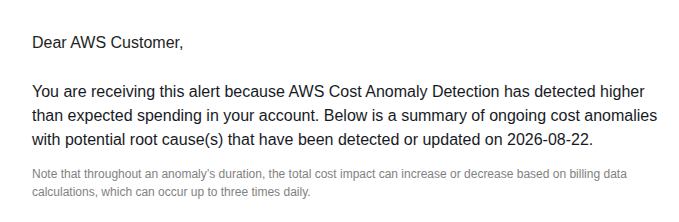
I went from approx $10k per month across everything (which was still sort of ok as I have $100k for a year) to almost $2.5k per day. This beats my previous record when I tried Fast Mode for a day.
This is clearly not sustainable, and I would finish my credits next month like this. So I think I will need to instead go back to Claude Max, but perhaps I'll need to switch between several subscriptions as I tend to hit the limits quite fast.
That, or maybe it's time to invest in GPUs and run the Chinese models? I need to check the economics on doing that, but perhaps I can write off the electricity as a business expense. With "unlimited" tokens I would start some insane workloads. Things just for fun too like just have an agent think forever and see what happens. It would also be kind of cool to be able to do everything locally so long as the quality doesn't take too much of a hit...
Enter Console
Over the course of many months, I've been essentially building a new OS. This OS is meant for a single user: me. I would have never bothered to put in the effort without coding agents, but we're now in the age of single-user software!
This has meant that a lot of the ways that I would build and deploy normal products have gone out the window. I work on it as I'm using it with my changes updating it live. A few times (mainly at the office) people have seen it and were curious/confused. There are so many parts that I can't possibly explain all of it.
Now it's not an OS in the traditional sense -- it still runs on top of Linux and Android. In the case of Android, it runs as a launcher or "home app". This has however very quickly become the app that I spend 99% of my time in. Everything that I would normally use a computer/phone for (email, chat, work, writing, entertainment, finances, travel, ...) I simply do in Console. It also speaks to all my hardware.
I've wanted to write about this for so long because I've learned so much and built so many cool things but it seemed like quite an overwhelming task, as every day I was adding more and more. I'm building the one tool to rule them all (for me at least)!
This week I realised something: Console is transforming fast enough that I will no longer be able to document my journey if I delay any longer. This is because I've started deleting and replacing entire "products" within console with better products that capture what I learned about how I like to use this tool.
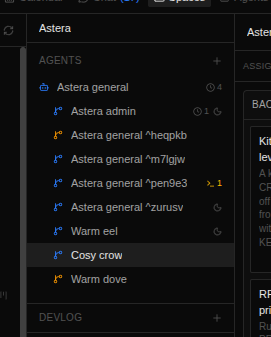
So I figured: let's start small and try to be consistent. Today I just wanted to share something I found amusing. I have a system where the head agent under a project can fork itself (I'll explain this another time) and the forks used to have alphanumeric names that are hard to keep track of, but I couldn't be bothered to constantly rename them.
So I made them get randomised names (verb + animal) and now it's much easier to picture a cool otter, a busy owl, or a cosy crow taking on tasks and remember what they're doing!